0€/month You only pay when we bring the student See the full price

Open your surf school on Surf Booking.

Sign up on the web — the school SurfBooking OS is web-first and works in any browser. If you prefer mobile, the SurfBooking app is live in 175 countries (App Store + Google Play).

Create my school See what SurfBooking OS does → Already a member? Log in →
SurfBooking OS
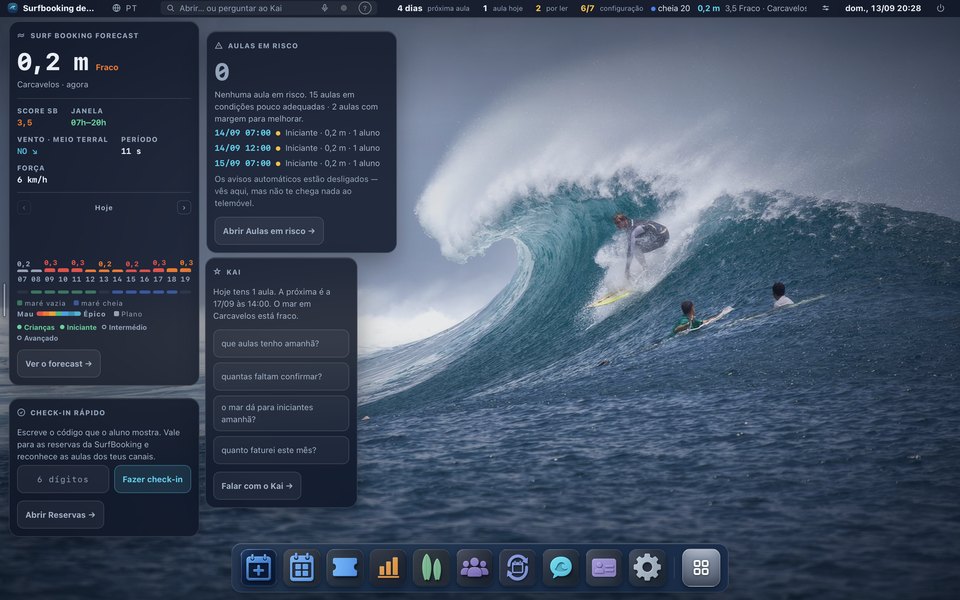
The SurfBooking operating system: the school's week, painted by the tide
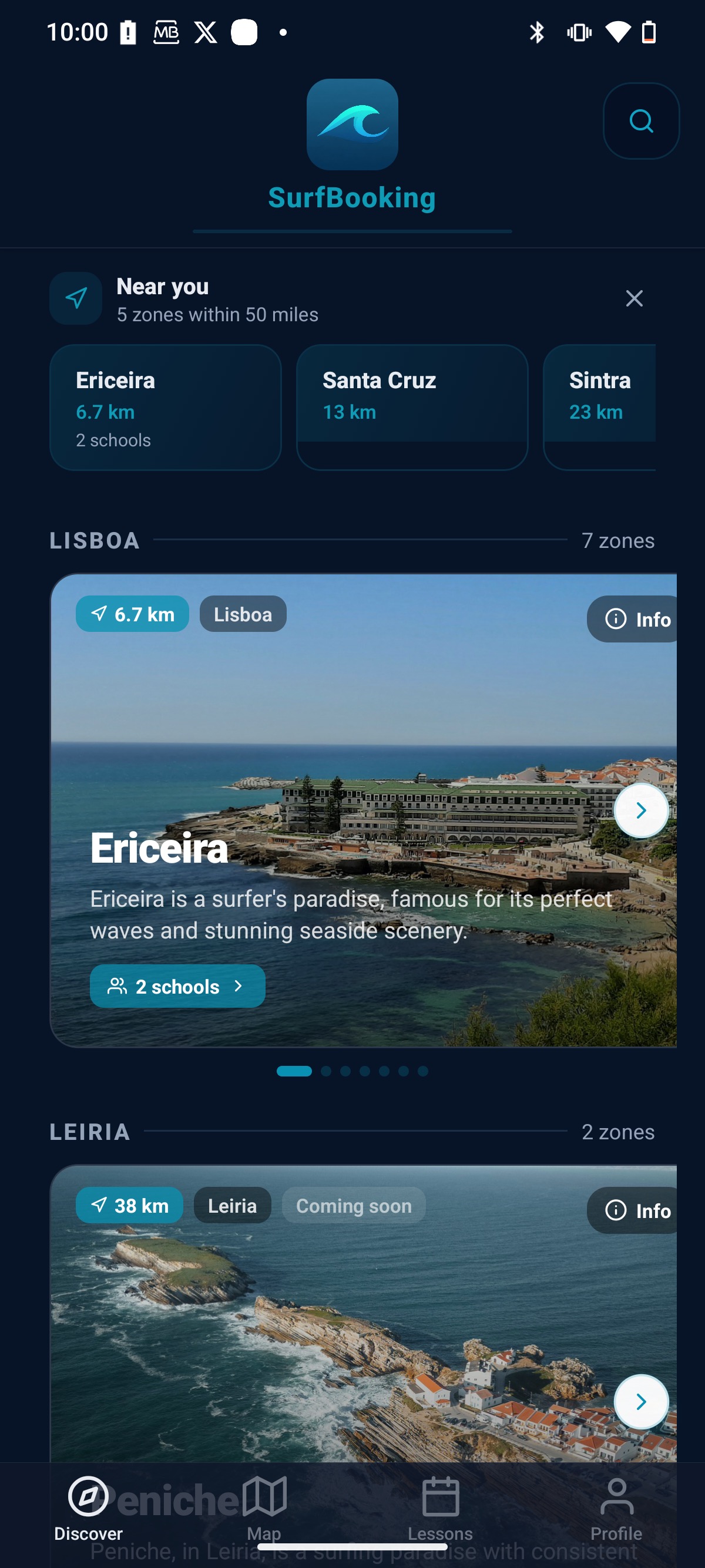
The SurfBooking app: beaches near you, with the schools that teach there
What is on the screen is what you get.

Channel Manager — at no cost — you just have to keep lessons on sale in our marketplace

Sync Airbnb Experiences, Booking.com Things-to-do, GetYourGuide, Viator, iCal and your own calendar in one place. Holds appear automatically, and the clashes we can block are blocked.

Stripe Connect ready

Accept card payments on day one. Daily payouts straight to your IBAN, with our 20% taken only on the bookings we brought you. We handle SCA, refunds and chargebacks for you.

Instructor marketplace

Browse verified instructors near your beach, invite them to your team in one click. Their portable CV (licence, languages, photo) is already filled in.

Before you start typing

The form below asks for nineteen fields, five of them company paperwork. We would rather tell you up front what to have at hand, what you do not need, and what happens after you hit the button.

What you need
  • Your name and a working email.We send a validation link there, and you have to open it before submitting.
  • The beach where you teach.One is required; you can add two more. It decides where your school shows up.
  • Company tax number, legal name and registered address.
  • Tourism registration number and civil liability policy number.The numbers, not the documents — nothing to scan here.
What you do NOT need
  • You do not need to retype your spreadsheet. See how
  • You do not need to install anything.
  • You do not need a card to open the account.
  • You do not need Stripe verified to start building your lessons.Once you start the connection, lessons save as drafts and become buyable the moment verification closes.
  • You do not need to stop selling where you already sell.
What happens next
  • You get into the panel.
  • The panel shows you a list of eight steps in order.Your first lesson comes before Stripe on purpose: you build something before anyone asks you for paperwork.
  • Someone here looks at your school before it goes public.A person, not a robot. It is the reason this is not a directory that anyone can walk into.
  • Approved, your school shows up on the beaches where you teach.
What it costs
  • 0 EUR a month to open and to use.
  • 20% only on the bookings we brought you.Marketplace, app and site. If the demand was ours, we charge; if it was not, we do not.
  • 0% on everything you brought in yourself.Walk-ups and your own direct channel: you pay only the card processing fee, nothing to us. What comes through Channel Manager never touches us at all.
  • Channel Manager: no cost, you just have to keep lessons on sale in our marketplace.It is how the school is run, not an add-on for outside calendars.
Read the step-by-step guide first Six numbered steps, in the order you actually do them. It opens in the same tab and the form stays here.

Open your school account

60 seconds. We'll reach out within 24h to finish onboarding (license, NIF, beach mapping, Stripe Connect).

We'll send a validation link to your email. Click it and you'll return here automatically.
If this email already has an account, no link is sent — anti-enumeration. Log in →
At least 12 characters with one uppercase, one lowercase, one digit and one symbol.
Legal & fiscal — required to operate
Only schools with a valid licence (RNAAT/federation/Harbour Authority) and liability insurance can register. Mandatory under Portuguese law. If you're still mid-licensing, finish that first — we'll be here when you're ready.
Required to issue invoices in your name. We never share it.
RNAAT, federation card, Harbour Authority or other official registry.
Mandatory liability insurance to operate.

Account is created instantly. Once you confirm your email we hand you the keys to your SurfBooking OS. Stripe Connect takes a few more minutes — our team will guide you.

Back to Schools